Fake 'Amazon Music' creator deal on amazonyt.com steals YouTubers' Google logins, Malwarebytes says
Malwarebytes published research on 21 October 2026 about a phishing campaign aimed at YouTube creators that impersonates Amazon Music. The site amazonyt.com calls itself the 'Amazon Artists Music - Creator Portal', pr…
- First reported
- Reports
- 1
Source: malwarebytes.com · published
What happened
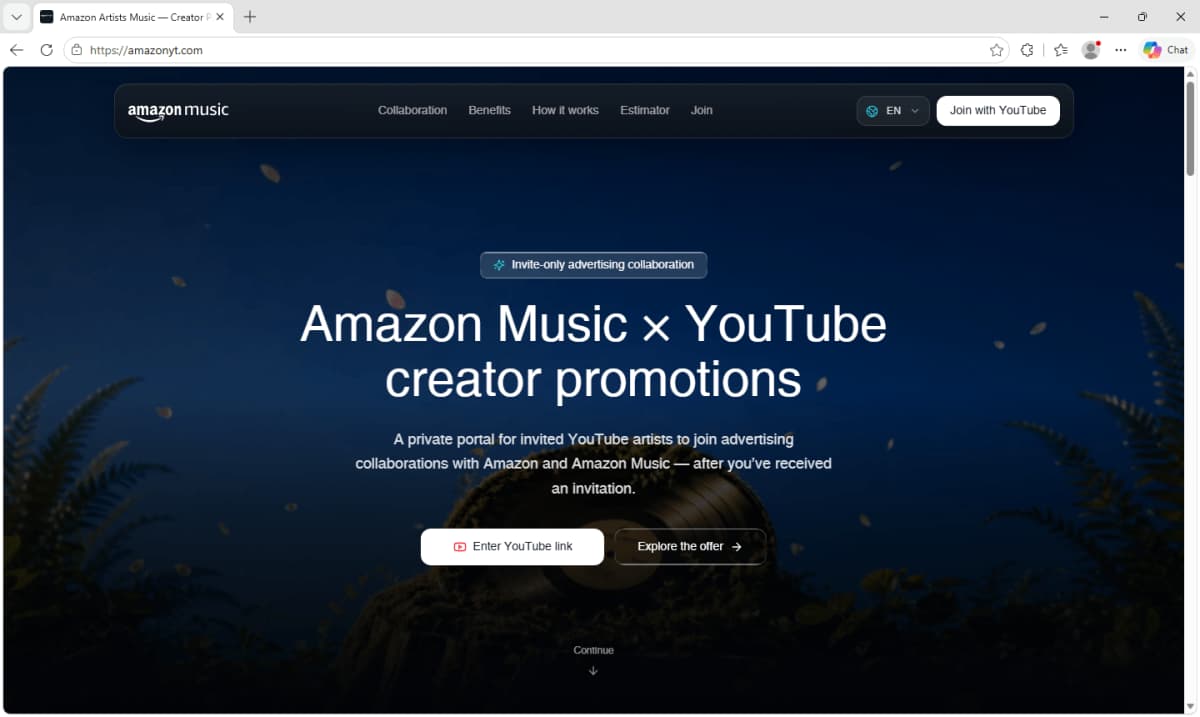
Malwarebytes published research on 21 October 2026 about a phishing campaign aimed at YouTube creators that impersonates Amazon Music. The site amazonyt.com calls itself the 'Amazon Artists Music - Creator Portal', promises invitation-only advertising collaborations with Amazon and Amazon Music, and tells visitors to use the link from their 'Amazon Music Artists outreach email'. Malwarebytes says the page asks for a channel link, then shows the creator's real public YouTube statistics and an earnings calculator to make the offer look tailored. To 'verify' the channel it shows a fake 'Continue with Google' button that opens a nearly transparent full-screen frame loaded from a second domain, youtubechannelverification.com, while the address bar still shows amazonyt.com. According to Malwarebytes, the code it analysed sent the entered email address and password to the criminals' server and supported steps for capturing multi-factor authentication codes; afterwards victims may see an 'unlocked' offer and a 'Request received' message so they do not suspect anything. The site is available in nine languages. Malwarebytes lists both domains as indicators of this campaign and says the real Amazon and YouTube Shopping partnership does not involve invite-only Amazon Music ad deals or third-party creator portals. Anyone who entered details should change their Google password through Google's official site, review sessions and YouTube Studio permissions, and treat the account as potentially compromised if an MFA code was entered.
How the scam works
Malwarebytes says the lure follows YouTube's announcement on 27 August that Amazon had joined its Shopping Affiliate Program, so creators may already expect Amazon-related offers. The fake portal borrows a name close to Amazon's real Amazon Music for Artists service and adds an earnings calculator with four packages, view-count settings and 'boosters'; the maths works, but the payout is invented to keep creators moving toward the sign-in step. To display channel data, the page queries YouTube's public API from the visitor's browser and rotates through 20 Google API keys. The page contains genuine Google sign-in code, but it is inactive.
The real programme verifies channels inside an existing Amazon account on Amazon's site and confirms the link in YouTube Studio. Malwarebytes notes leftover error messages that suggest a reusable kit, and a 'ref' value stored as a 'workerCode', which could mean several people send traffic to it. Google's Threat Analysis Group described a similar creator-takeover campaign in 2021, in which hijacked channels were sold or used to broadcast cryptocurrency scams. Amazon, YouTube and Google are impersonated, not involved.
Source
Malwarebytes, "Fake Amazon Music x YouTube deal lures creators into a Google login trap" (published 21 October 2026).
Red flags
- An 'invite-only' Amazon Music sponsorship for YouTube creators that you never applied for.
- A 'creator portal' on amazonyt.com or another domain that isn't amazon.com.
- Your own channel stats shown back to you to make an offer feel tailored.
- A 'Verify your channel' step that asks for your Google password inside the page.
- A sign-in window while the address bar doesn't show accounts.google.com.
If you were targeted
- 1Don't enter your Google password or verification codes on the site.
- 2Check any sponsorship by contacting the company through its official website, using details you find yourself.
- 3If you entered details, change your Google password through Google's official site and sign out of unfamiliar sessions.
- 4Remove unknown third-party apps and check your recovery email and phone number.
- 5In YouTube Studio, check Settings > Permissions (and any Brand Account) for people you didn't add.
- 6If you lost access, follow YouTube's guidance for recovering a hacked channel.