Phishunt flags DocuSign phishing page on bluesoftsdocrks.com
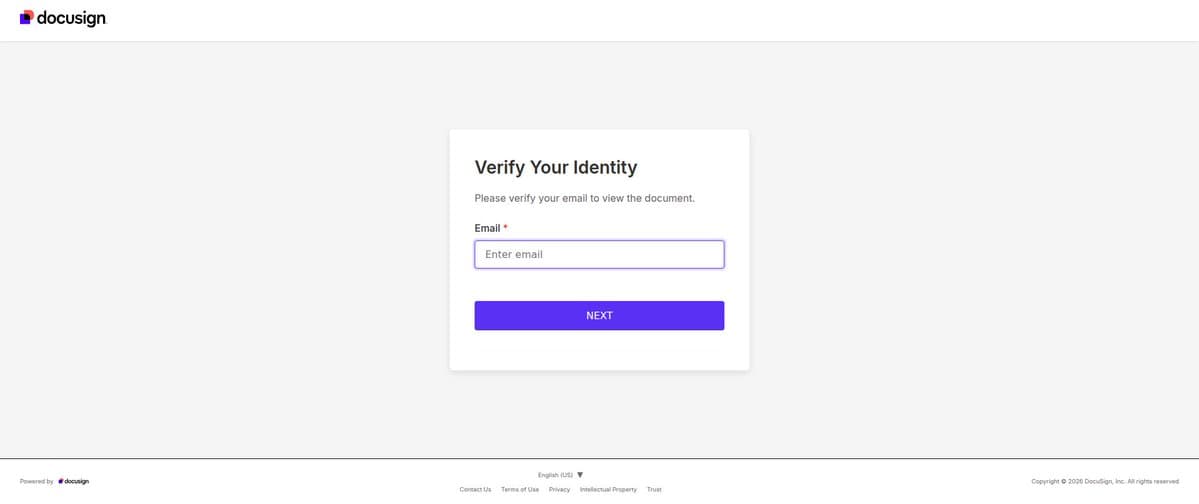
Phishing tracker phishunt.io flagged a DocuSign-branded 'Verify Your Identity' page on bluesoftsdocrks.com that asks for an email address.
- First reported
- Reports
- 1
Source: x.com · published
What happened
On October 15, 2026, the phishing-detection service phishunt.io flagged a DocuSign-themed phishing page at bluesoftsdocrks[.]com/Docusign/page/. Phishunt lists the site as resolving to IP address 172.67.191.151 behind Cloudflare (AS13335) and categorises it under DocuSign phishing. Its screenshot shows a DocuSign-branded 'Verify Your Identity' page with an email input field. DocuSign is the brand being impersonated and is not involved.
How the scam works
Phishunt's DocuSign feed describes these pages as mimicking a 'document awaiting signature' notification, a well-worn wrapper for credential theft. A victim typically receives an email saying a document is waiting, clicks through, and is asked to 'verify' their identity by entering an email address and then a password.
Note: the phishunt post is an automated detection; it does not say how links to this page were distributed. This section describes the general pattern from phishunt's DocuSign feed.
Source
phishunt.io on X (@phishunt_io), post of October 15, 2026, and phishunt's DocuSign phishing feed.
Red flags
- A 'document to sign' email you weren't expecting.
- A DocuSign page on a domain that isn't docusign.com or docusign.net.
- A request to 'verify your identity' with your email login.
If you were targeted
- 1Don't open the link or enter any login, card or personal details on the domain.
- 2If you entered a password there, change it immediately (and anywhere you reused it) and turn on two-factor authentication.
- 3Report phishing pages to the impersonated brand and to your national cyber-security centre.