What happened
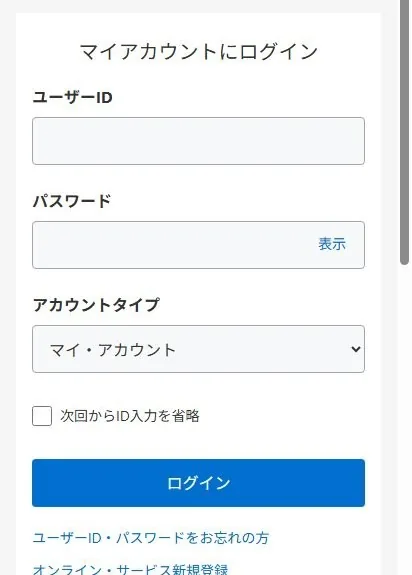
The Japanese phishing tracker delicious_unaju posted on 25 November 2026 that a new SBI Securities (SBI証券) phishing site had appeared, linked from scam emails (#詐欺メール). According to the post, a link on a separate redirect site forwards visitors to hxxps://oriontide[.]cfd/LJNI/#/index. The researcher's screenshot shows a copy of SBI Securities' login page asking for a username and login password, with passkey options. SBI Securities is being spoofed and is not involved; log in to brokerage accounts only through the firm's official app or bookmarked website. Visitors should not enter passwords, card numbers or one-time codes on pages reached from unexpected emails, texts or ads.
How the scam works
These pages copy a familiar login, payment or delivery form so that a typed password, one-time code, card number or other personal detail goes to the operator rather than to the real company. The address is often a look-alike domain, a newly registered shop, or a free host such as Weebly, Wix, Firebase, Vercel, Workers or Pages. Some kits cloak the real form from scanners and only show it in certain countries or to certain devices. The brand whose name or logo appears is being impersonated and is not involved, unless the report says the page was planted on a compromised official site, in which case only that path is the phishing lure. Open the official app or type the company's real address yourself. If you already entered a password or a card number, change the password on the official site, turn on a new two-factor method, and contact the company and your bank.
Source
Source: https://x.com/delicious_unaju/status/2125529521235566918 (delicious_unaju (@delicious_unaju) on X, Nov 25, 2026, 4:58 AM ET)